Overview and Reports
Your key rates, risk by department, and audit-ready exports.
Written By Ignace
Last updated 21 days ago
Overview
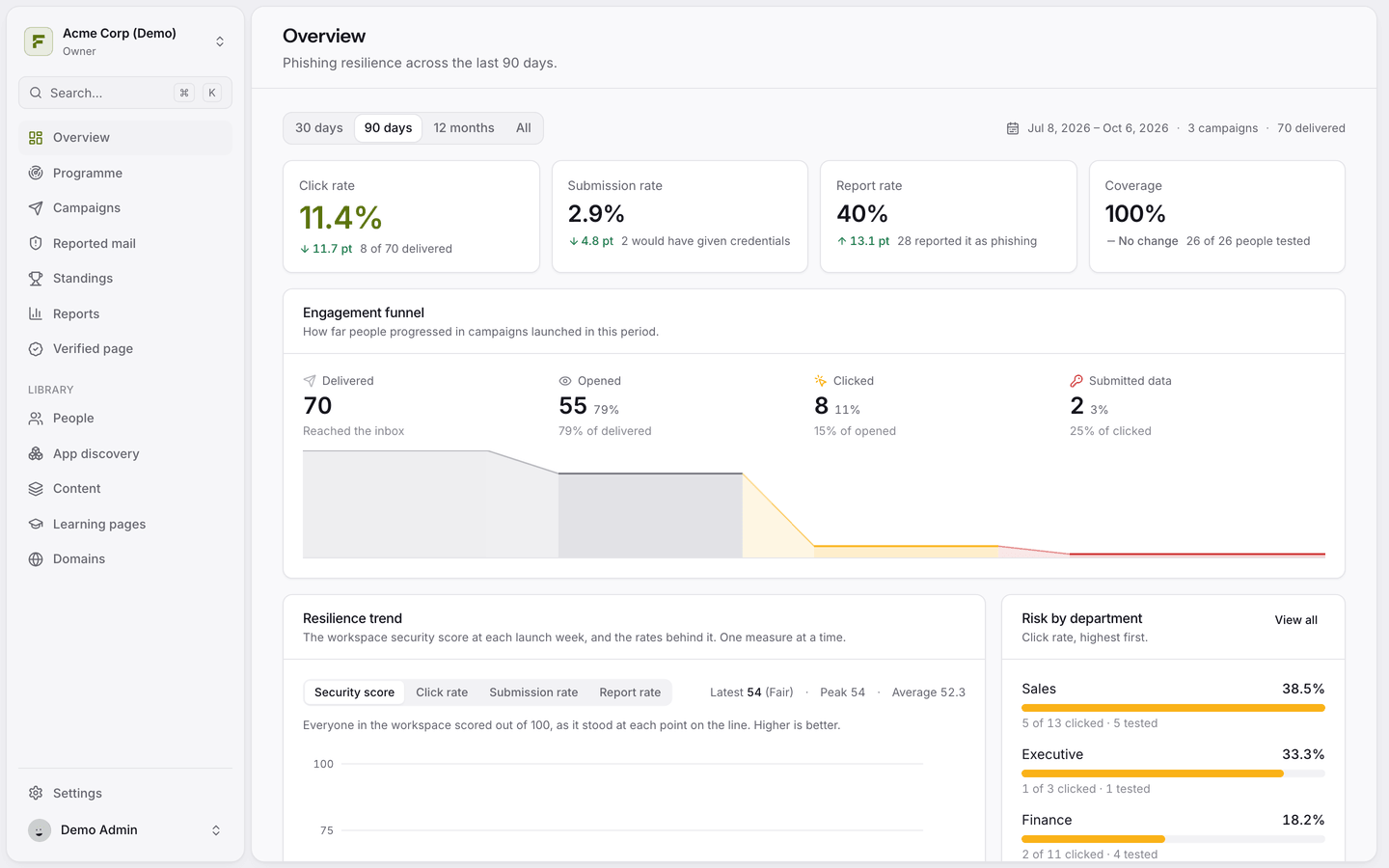
The Overview page is your daily snapshot. Pick 30 days, 90 days, 12 months or all time.
Click rate, Submission rate, Report rate and Coverage, with the change against the previous period.
Engagement funnel: delivered, opened, clicked and submitted data.
Resilience trend: the workspace security score over time.
Risk by department: click rate per department, highest first.
Reports
Reports lets you slice results by period, department, lure and campaign.
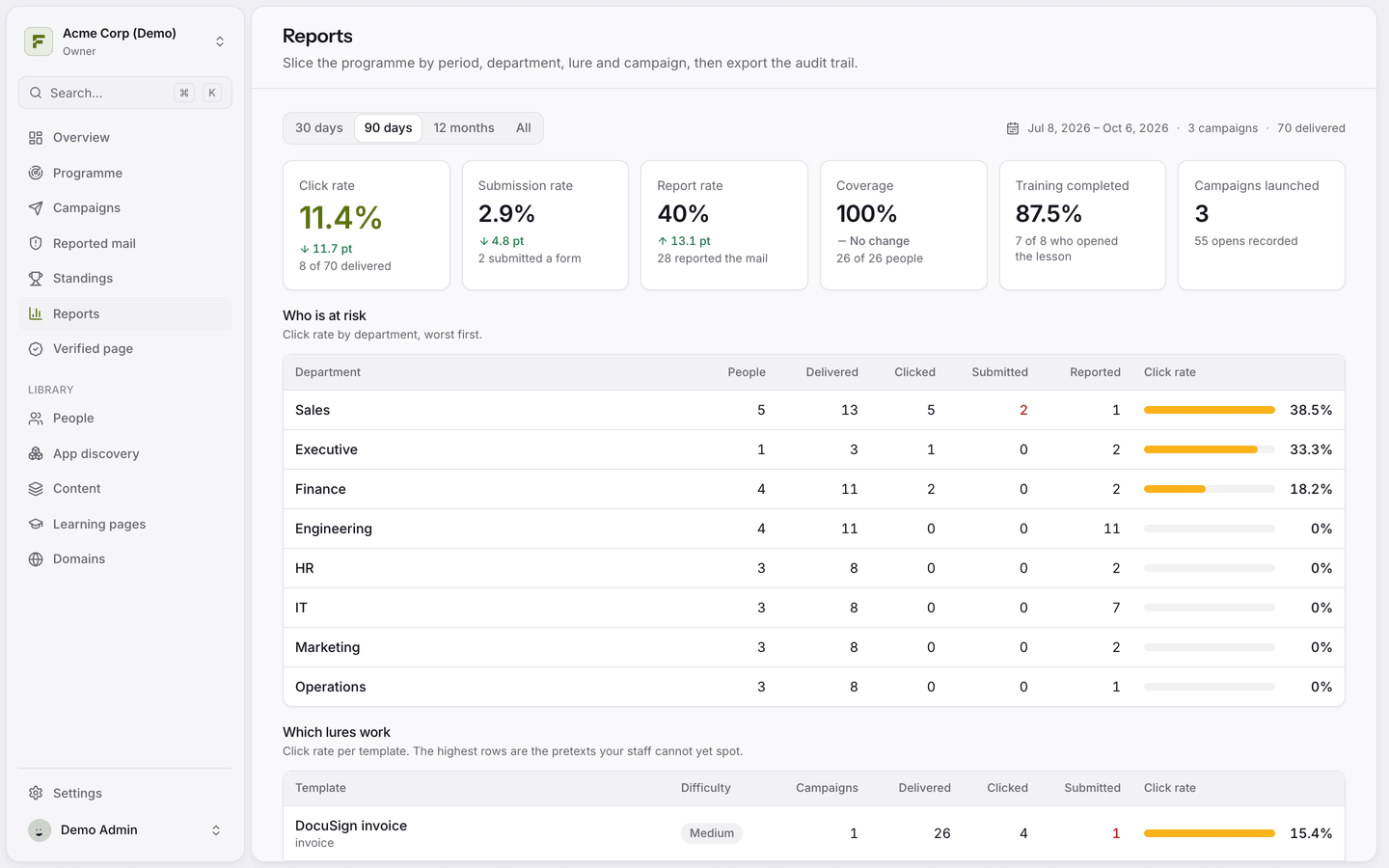
Who is at risk: each department's people, deliveries, clicks, submissions and reports.
By language sent: results per language.
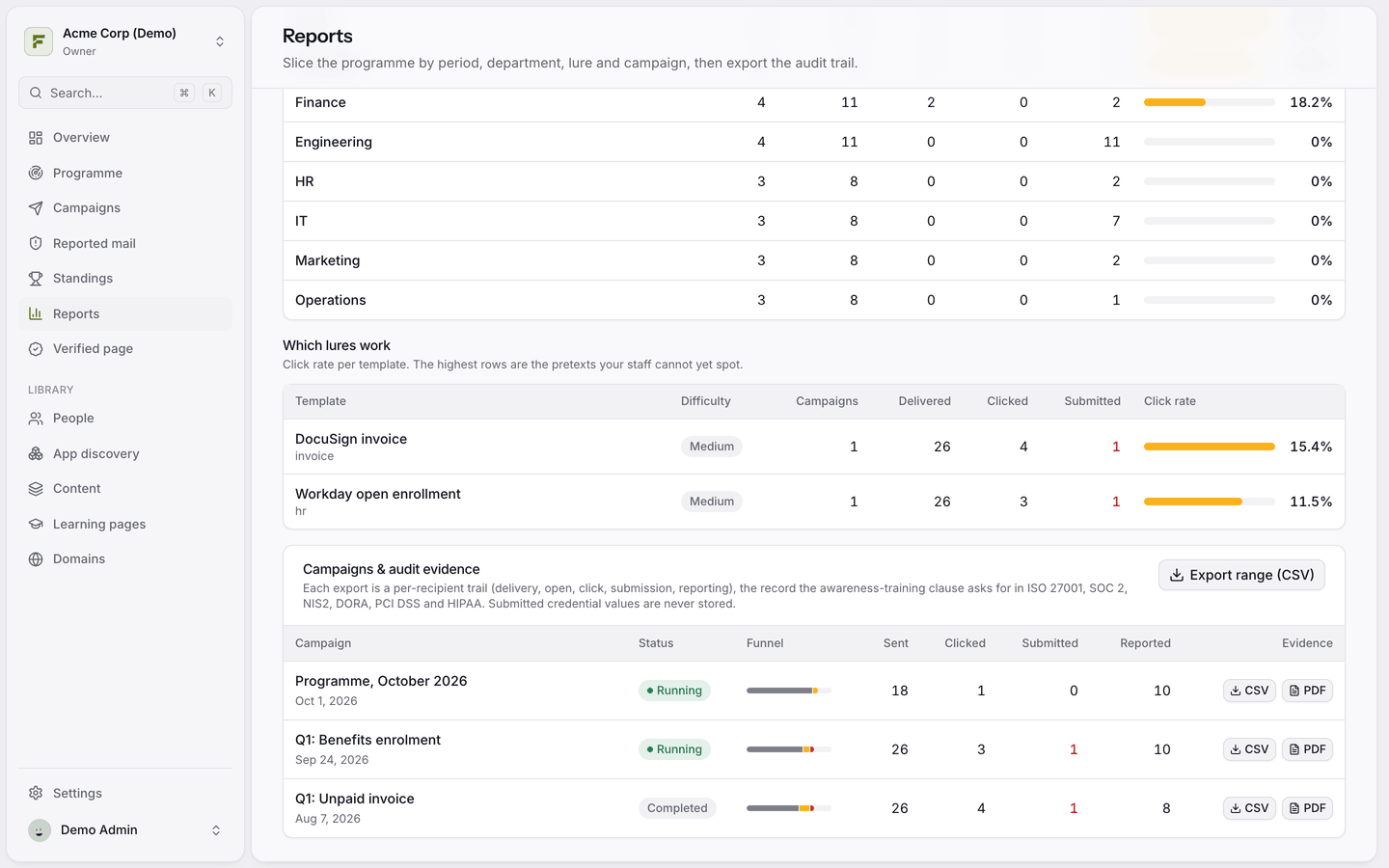
Which lures work: the pretexts your staff cannot yet spot.
Training completed: how many people who opened a lesson finished it.
Audit evidence
Under Campaigns & audit evidence, download a CSV or PDF per campaign, or click Export range (CSV) for the whole period. Each export is a per-person record of delivery, opens, clicks, submissions and reports: the evidence the awareness-training requirements of ISO 27001, SOC 2, NIS2, DORA, PCI DSS and HIPAA ask for. Submitted values are never part of it, because they are never stored.
Was this helpful?
Still need help? Ask the team