Programme policy settings
Cadence, difficulty, send window, limits and who the Programme reaches.
Written By Ignace
Last updated 21 days ago
Open Programme → Policy to decide how often people are tested and when. The panel on the right shows what your settings mean in practice, for example how many simulations go out per month.
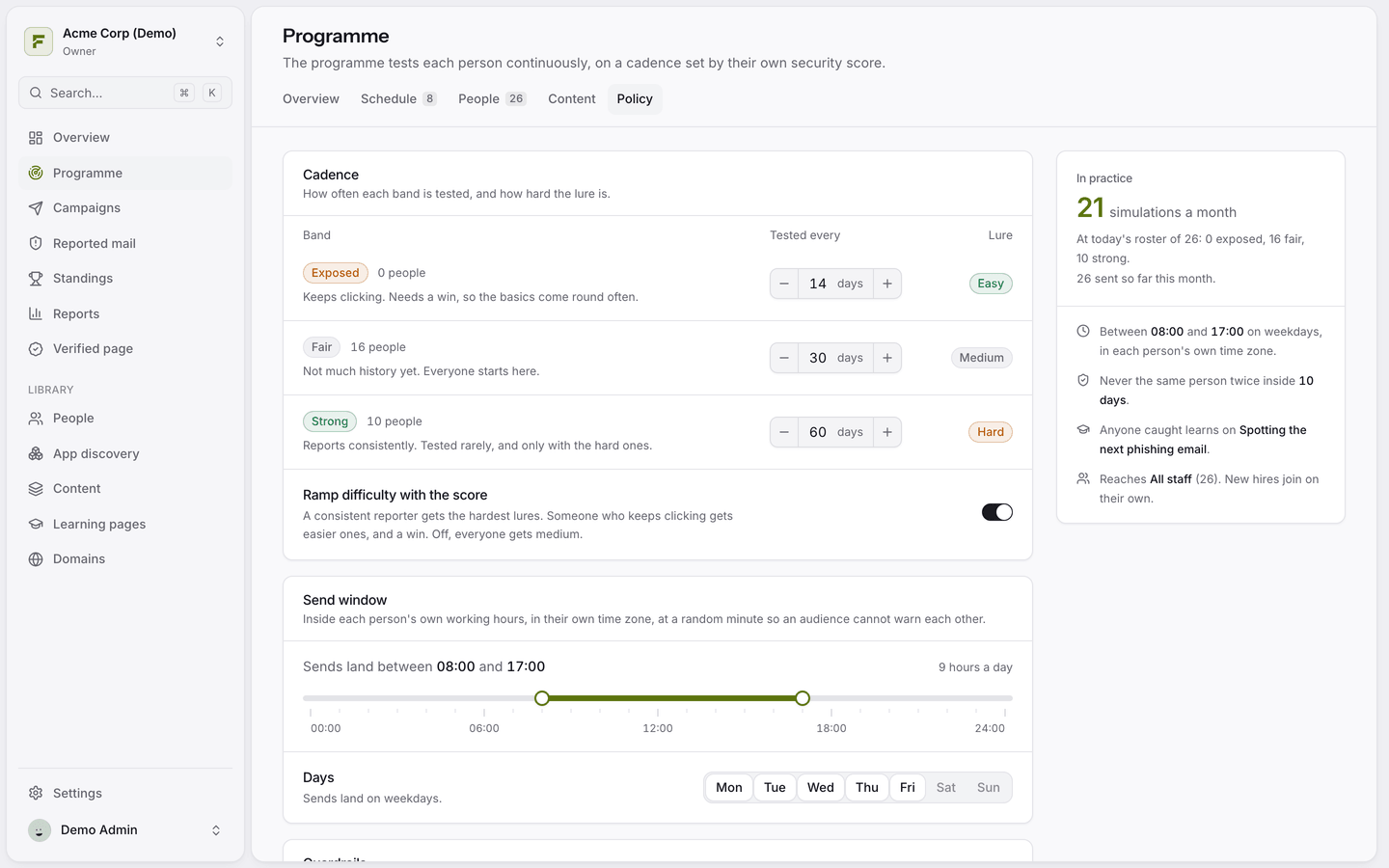
Cadence
How often each band is tested. The defaults are:
Ramp difficulty with the score is on by default. Turn it off to give everyone medium lures.
Send window
Simulations only land during working hours in each person's own timezone, at a random minute, so colleagues cannot warn each other. The default is 08:00 to 17:00 on weekdays. People without a known timezone use the workspace default from Settings → General.
Limits
Minimum gap: never test the same person twice within this many days. Default 10.
Monthly cap: off by default. When reached, the Programme waits until the first of the next month.
Teaching and reach
Teaching: which learning page people see after a click.
Reach: everyone, or only one audience.
Enrol new people automatically: on by default, so new joiners from your directory are included.
Was this helpful?
Still need help? Ask the team