Connect Microsoft 365
Admin-consent the Fallax app and scope it to the mailboxes you want to test.
Written By Ignace
Last updated 21 days ago
Fallax writes simulations straight into your employees' Outlook inboxes through Microsoft Graph. Nothing is sent through a third party, so messages are never spam-flagged and no account gets suspended.
Before you start
You need a Microsoft 365 Global Administrator (or Privileged Role Administrator) for consent, and Exchange Online PowerShell access for scoping.
Your domain must already be verified in Fallax (by sign-in or DNS).
A workspace uses Microsoft 365 or Google Workspace, not both.
Not an admin yourself? Click Ask your admin on the setup page and Fallax emails your IT admin exactly what to grant.
Step 1: Grant admin consent
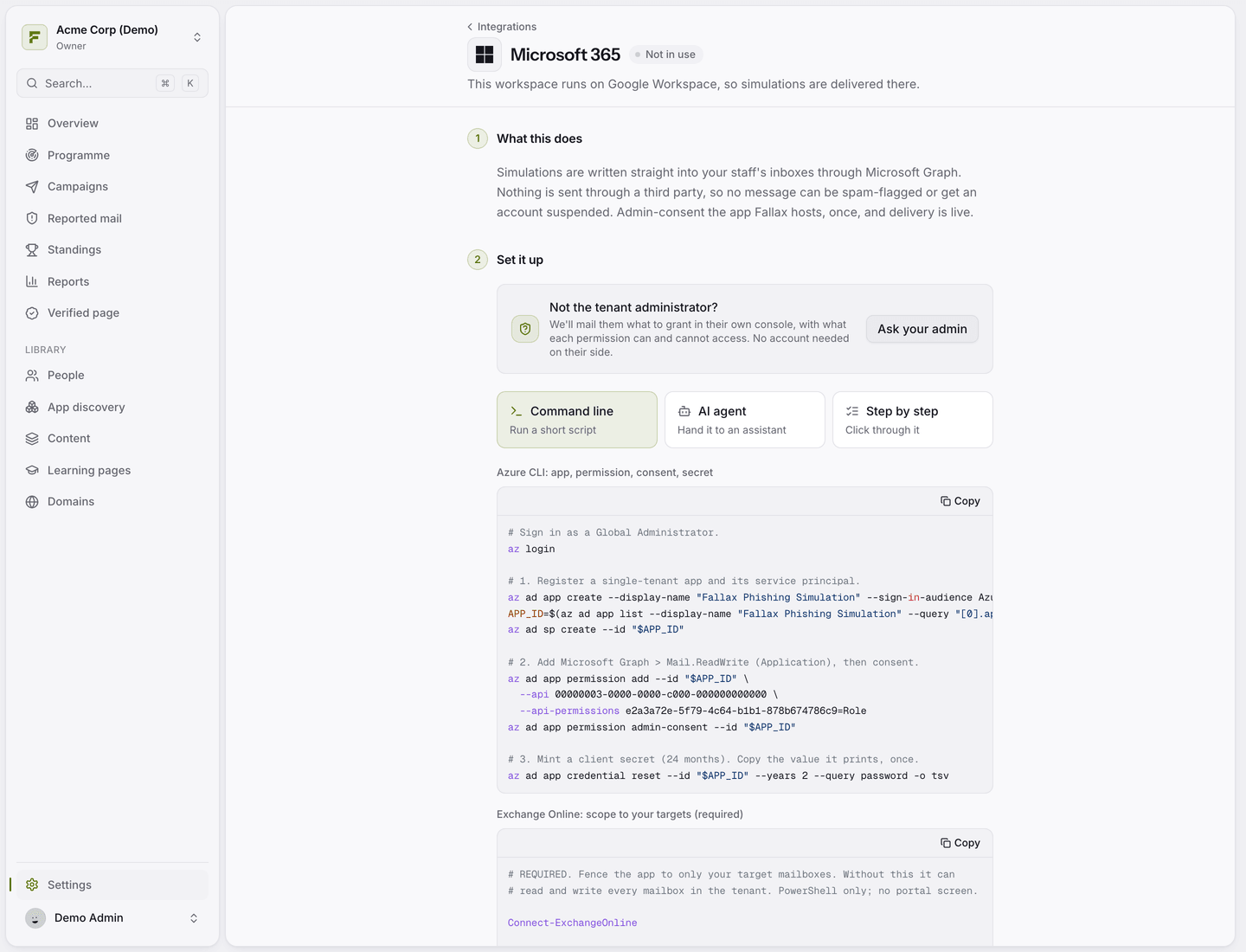
Go to Settings → Integrations → Microsoft 365 and click Grant admin consent. This adds the Fallax Phishing Simulation app to your tenant.
Step 2: Scope it to your targets (required)
By default an app with mailbox access can reach every mailbox in the tenant. An Exchange application access policy limits Fallax to a group you choose. In Exchange Online PowerShell:
Create a mail-enabled security group, for example
phishing-targets@yourdomain.com. A plain distribution list will not work.Add everyone you want to test to that group.
Run
New-ApplicationAccessPolicywith-AccessRight RestrictAccessto bind the Fallax app to the group.Run
Test-ApplicationAccessPolicyfor a mailbox outside the group. It should say Denied.
The setup page gives you the exact commands with your app ID filled in. Exchange caches policies, so allow up to 30 minutes before trusting the result.
Anyone you test must be in the policy group. If someone is outside it, their send fails with an error asking you to add them to the group, then retry.
Step 3: Enter your primary domain
Type your tenant's primary domain. It also becomes a verified recipient domain in Fallax.
How messages arrive
Simulations arrive as normal received mail in the inbox. They do not pass through your mail gateway, so Defender, Safe Links and external-sender banners do not touch them. That is on purpose: Fallax tests your people, not your filters.
Test it
Launch a campaign to the Just me (test run) audience and check your own inbox. Make sure your own mailbox is in the policy group first.
Was this helpful?
Still need help? Ask the team