REST API and n8n
Read results and keep your people list in sync from your own tools.
Written By Ignace
Last updated 21 days ago
The REST API gives you the same reports, events, campaigns and people that the app shows, over HTTP. It is useful for dashboards, automations and keeping your people list in step with an HR system.
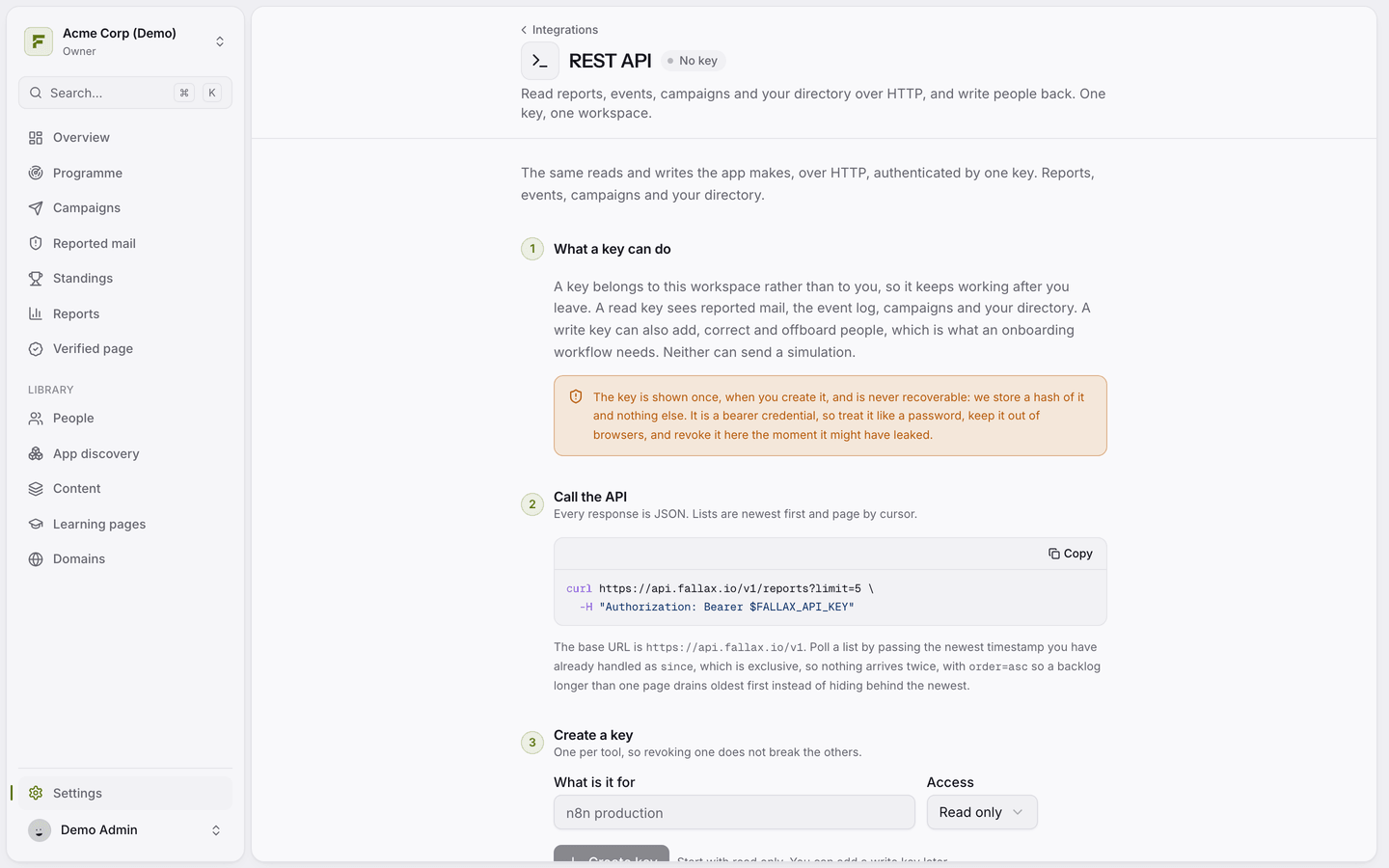
Create a key
Go to Settings → Integrations → REST API.
Describe what the key is for and choose Read only or Read and write people.
Copy the key. It is shown only once.
A key belongs to the workspace, not to you, so it keeps working if you leave. A workspace can have up to 10 active keys. Use one per tool, so you can revoke one without breaking the others.
Call the API
The base URL is https://api.fallax.io/v1. Send the key as a bearer token:
curl https://api.fallax.io/v1/reports?limit=5 \ -H "Authorization: Bearer $FALLAX_API_KEY"Endpoints
Lists are newest first and paged with a cursor. To poll for new items, pass the newest timestamp you have handled as since.
The API cannot create or send simulations.
n8n
Install the community node n8n-nodes-fallax. It adds a Fallax Trigger that starts a workflow on new events, and a Fallax node for reading data and managing people. Create a key under Settings → Integrations → n8n.
Was this helpful?
Still need help? Ask the team