Connect Google Workspace
Let Fallax place simulations in Gmail inboxes with one domain-wide delegation.
Written By Ignace
Last updated 21 days ago
Fallax delivers simulations by inserting them straight into your employees' Gmail inboxes through the Gmail API. Nothing is sent through a third party, so messages are never spam-flagged and no account gets suspended. You grant this once, in your Google Admin console.
Before you start
You need a Google Workspace super admin, or someone who can manage domain-wide delegation.
Your domain must already be verified in Fallax (by sign-in or DNS).
A workspace uses Google Workspace or Microsoft 365, not both.
Not an admin yourself? Click Ask your admin on the setup page and Fallax emails your IT admin exactly what to grant.
Set it up
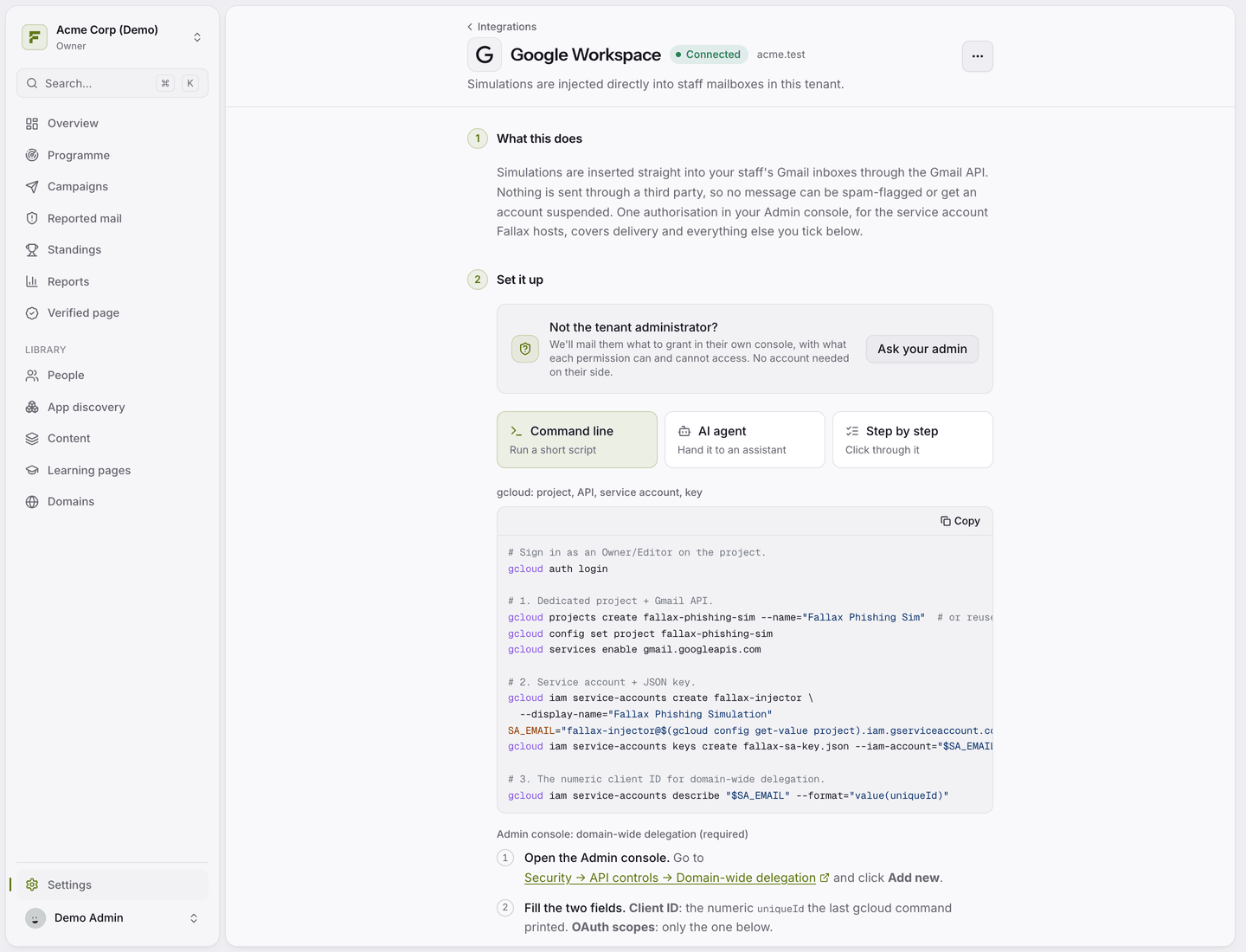
In Fallax, go to Settings → Integrations → Google Workspace.
Under What Fallax may do, tick the capabilities you want. Delivery is always required.
In the Google Admin console, open Security → Access and data control → API controls → Domain-wide delegation and click Add new.
Paste the Client ID and the OAuth scopes exactly as Fallax shows them, then click Authorise.
Back in Fallax, enter your domain and an admin mailbox. Fallax uses that mailbox once to confirm the delegation is live.
The setup page offers three ways to follow along: a short script, a prompt you can hand to an AI assistant, or step-by-step instructions.
What each capability does
Adding a capability later
Google replaces the scope list as a whole. When you add a capability, copy the full scope list from Fallax and replace the existing entry in the Admin console, rather than appending to it. Fallax then reads back which scopes were actually granted.
Test it
The connection test proves the delegation exists. To be sure delivery works end to end, launch a campaign to the Just me (test run) audience and check your own inbox.
Was this helpful?
Still need help? Ask the team